
Best Hosting for WordPress: 5 Top Options Every Site Owner Should Consider in 2026
Finding the best hosting for WordPress is one of the most important decisions you will make when building or growing a website.
Your hosting provider directly determines how fast your pages load, how reliably your site stays online, how secure your data remains, and how easily you can scale when traffic grows.
A poor WordPress hosting choice can result in slow load times, frequent downtime, and a frustrating experience for both you and your visitors.
The right hosting for WordPress gives you the performance foundation your site needs to rank well in search engines, convert visitors into customers, and run without interruption.
But the market is crowded, and not every hosting provider is suited for every type of WordPress website.
Some offer unbeatable value for beginners. Others are built for developers who need cloud flexibility. Some specialize exclusively in managed WordPress environments with enterprise-grade infrastructure.
In this guide, we compare five of the strongest WordPress hosting options available in 2026: Hostinger, SiteGround, Cloudways, Kinsta, and Bluehost.
Whether you are launching your first blog, running a WooCommerce store, or managing multiple client sites as an agency, this comparison will help you choose the right hosting for your specific needs.
Why Choosing the Right WordPress Hosting Matters
Not all web hosting is created equal, and this is especially true when running WordPress.
WordPress is a dynamic platform that relies on PHP processing and database queries to build every page — which means your server’s performance has a direct and immediate impact on how fast your site loads.
The best hosting for WordPress accounts for this by optimizing server stacks specifically around how WordPress operates, rather than offering generic shared hosting environments that treat all websites the same.
Google’s Core Web Vitals have made page speed a direct ranking factor, which means a slow host is not just a user experience problem — it actively hurts your position in search results.
Security is another critical dimension. WordPress powers over 40 percent of all websites on the internet, making it a high-value target for malware, brute force attacks, and vulnerability exploits.
A quality WordPress hosting provider offers server-level firewalls, malware scanning, DDoS protection, and automated backups as part of the package.
For more information on how WordPress works and what it requires from a hosting environment, the official WordPress documentation covers server requirements in detail.
For WooCommerce store owners, the WooCommerce platform provides additional guidance on hosting performance requirements for online shops.
Top 5 Best Hosting for WordPress in 2026
Below is a detailed breakdown of five leading WordPress hosting providers, covering what each one does best, who it is designed for, and what makes it worth considering for your next website.
1. Hostinger – Best Budget-Friendly Hosting for WordPress Beginners
Hostinger has become one of the most popular WordPress hosting choices for beginners and budget-conscious website owners, consistently offering some of the lowest entry prices on the market without sacrificing the fundamentals of performance.
Unlike traditional budget hosts that rely on outdated Apache servers, Hostinger uses LiteSpeed web servers across all of its shared hosting plans — the same server technology that powers many premium-tier hosting environments.
This gives Hostinger users a meaningful speed advantage over competitors at similar price points, especially when combined with the built-in LiteSpeed Cache integration for WordPress.
All plans include a free domain, free SSL certificate, free email hosting, and NVMe SSD storage — which delivers significantly faster read and write speeds than standard SSDs.
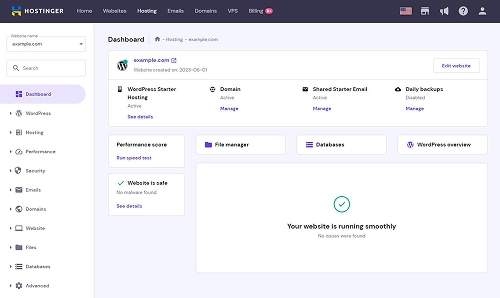
Hostinger also introduced AI-powered WordPress tools directly into its custom hPanel control panel, making tasks like website setup, content creation, and theme selection faster and more accessible for first-time website owners.
With data centers spread across Europe, North and South America, Asia, and Africa, Hostinger gives you the flexibility to host your site close to your primary audience for reduced latency.
For anyone looking for the best value hosting for WordPress without sacrificing modern infrastructure, Hostinger is the standout option at the affordable end of the market.
Why choose Hostinger for WordPress hosting?
Hostinger is the best choice when you want professional-grade WordPress hosting at the lowest possible monthly cost, with LiteSpeed performance, NVMe storage, and AI-powered tools included in every plan.
Best for:
Bloggers, first-time website owners, small businesses on a tight budget, freelancers, and anyone launching their first WordPress website.
Key features:
- LiteSpeed web server on all shared hosting plans
- NVMe SSD storage for faster file access
- Free domain, SSL certificate, and email hosting included
- Custom hPanel with built-in WordPress AI assistant
- One-click WordPress installation and automatic updates
- Global data centers across 4 continents
- 99.9% uptime guarantee with proactive monitoring
- Free weekly or daily backups depending on plan tier
2. SiteGround – Premium WordPress Hosting Built on Google Cloud
SiteGround is one of the most respected names in WordPress hosting, known for its strong balance of performance, security, and hands-on support.
Since migrating its entire infrastructure to Google Cloud, SiteGround has significantly improved its speed and reliability compared to earlier shared hosting setups, giving its users access to Google’s global network of low-latency data centers.
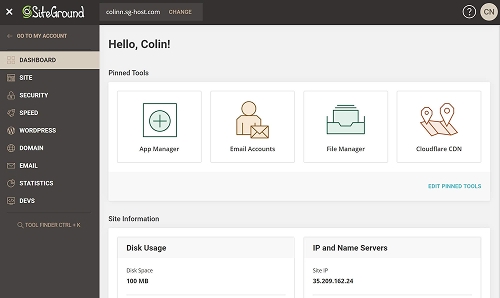
SiteGround developed its own in-house caching technology — SuperCacher — alongside the free SG Optimizer plugin for WordPress.
This plugin handles a wide range of performance tasks including static caching, dynamic caching, Memcached object caching, and image lazy loading, all without any manual configuration.
Security is a core strength of this best hosting for WordPress platform. Every plan includes daily automatic backups stored offsite, a custom-built web application firewall, proactive malware monitoring, and automatic WordPress core and plugin updates.
SiteGround also offers a free staging environment on its higher-tier plans, allowing you to safely test changes before pushing them to your live site.
This is a critical feature for WooCommerce stores and business websites that cannot afford unexpected downtime.
Support response times at SiteGround are consistently faster than most competitors, with 24/7 live chat staffed by WordPress-knowledgeable agents rather than general-purpose support teams.
Why choose SiteGround for WordPress hosting?
SiteGround is the best choice when you want reliable WordPress hosting backed by Google Cloud infrastructure, with industry-leading security features, daily backups, and fast expert support included at every plan level.
Best for:
Growing WordPress sites, WooCommerce stores, professional websites, small agencies, and anyone who prioritizes security, support quality, and a managed hosting experience.
Key features:
- Google Cloud infrastructure with data centers worldwide
- In-house SuperCacher and free SG Optimizer WordPress plugin
- Free daily automatic backups with one-click restore
- Custom web application firewall and malware scanning
- Free SSL, CDN, email, and staging environment
- Automatic WordPress core and plugin updates
- WordPress auto-migration plugin for seamless site transfers
- 24/7 expert support via live chat, phone, and tickets
3. Cloudways – Flexible Managed Cloud Hosting for WordPress Developers
Cloudways occupies a unique position in the WordPress hosting landscape as a managed cloud platform rather than a traditional hosting provider.
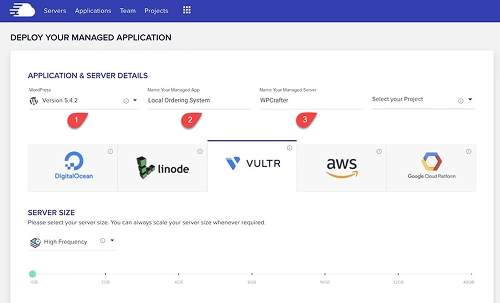
Instead of running its own data centers, Cloudways lets you choose from five major cloud infrastructure providers: DigitalOcean, AWS (Amazon Web Services), Google Cloud, Linode, and Vultr.
Cloudways then manages the server configuration, security hardening, and performance optimization entirely on your behalf — making it one of the smartest choices for best hosting for WordPress at the managed cloud level.
This gives you access to enterprise-grade cloud infrastructure at a price point that would otherwise require significant DevOps expertise to manage independently.
Under the hood, every Cloudways server runs the Thunderstack — a performance-optimized combination of Nginx, Apache, MySQL, PHP-FPM, Varnish, Redis, and Memcached — all configured specifically for WordPress and WooCommerce performance.
Cloudways uses a pay-as-you-go pricing model, meaning you are billed for the server resources you actually consume rather than locked into long annual contracts.
This makes it one of the most cost-efficient WordPress hosting options for agencies and developers managing multiple client sites, as you can scale individual server resources up or down without migrating to a new plan.
A free CDN powered by StackPath is available as an add-on, and free SSL certificates are included on all servers.
Why choose Cloudways for WordPress hosting?
Cloudways is the best WordPress hosting choice for developers and agencies who want the power of major cloud providers like AWS and Google Cloud, without the complexity of managing servers themselves.
Best for:
WordPress developers, digital agencies managing multiple client sites, WooCommerce stores with variable traffic, and technical users who want cloud flexibility without full server administration.
Key features:
- Choice of 5 cloud providers: DigitalOcean, AWS, Google Cloud, Linode, Vultr
- Thunderstack: Nginx, Apache, Varnish, Redis, and Memcached pre-configured
- Pay-as-you-go pricing with no long-term contracts required
- Free SSL certificates and optional CDN add-on
- One-click WordPress installation, staging, and cloning
- Automated backups with configurable retention periods
- Team collaboration features for multi-user agency workflows
- Built-in application performance monitoring and server metrics
4. Kinsta – Enterprise-Grade Managed WordPress Hosting on Google Cloud
Kinsta is a premium managed WordPress hosting provider that focuses exclusively on WordPress, building every aspect of its platform around the specific performance and security demands of the world’s most popular CMS.
Kinsta runs all sites on Google Cloud Platform’s C2 compute-optimized machines — the same high-performance virtual machines used by Google’s own services — giving its users access to some of the fastest compute hardware available in cloud hosting.
Every WordPress site at Kinsta runs inside its own isolated Linux container with dedicated CPU, RAM, and storage resources.
This means one site’s traffic spike has zero impact on the performance of other sites on the same physical server — a significant advantage over traditional shared best hosting for WordPress environments.
Kinsta’s CDN is powered by Cloudflare’s global edge network, with over 260 points of presence worldwide, and includes edge caching that serves your WordPress pages directly from Cloudflare’s servers rather than your origin server.
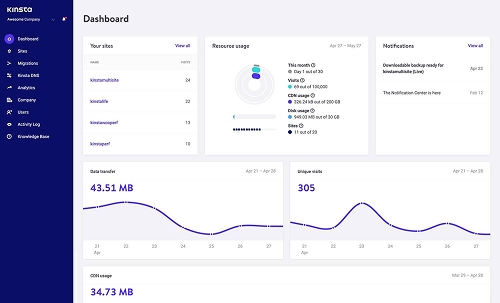
The MyKinsta dashboard is one of the cleanest hosting management interfaces available.
It includes a built-in APM (Application Performance Monitoring) tool that helps you identify slow database queries, PHP processes, and plugin performance issues without needing any third-party tools.
Kinsta includes a hack guarantee — if your site is ever compromised, their security team will fix it at no additional cost, making it one of the most secure WordPress hosting environments available.
Why choose Kinsta for WordPress hosting?
Kinsta is the best WordPress hosting option for high-traffic sites, enterprise applications, and anyone who needs the absolute best in performance, security, and managed support without compromise.
Best for:
High-traffic WordPress sites, enterprise businesses, marketing agencies, WooCommerce stores with large catalogs, and any team that needs a fully managed, premium hosting experience.
Key features:
- Google Cloud Platform C2 machines for maximum compute performance
- Isolated container architecture — dedicated resources per site
- Cloudflare-powered CDN with 260+ global edge locations
- Edge caching for near-instant WordPress page delivery
- Built-in APM tool for identifying performance bottlenecks
- Free daily backups, staging environment, and site cloning
- DDoS protection and hack-fix guarantee included
- MyKinsta dashboard with detailed analytics and team management
5. Bluehost – The Official WordPress.org Recommended Hosting Provider
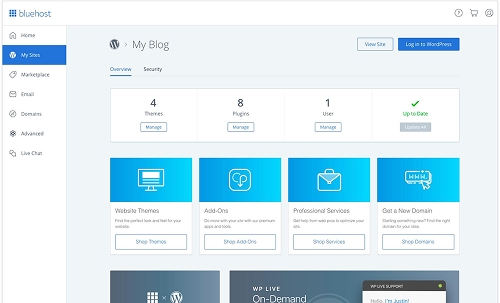
Bluehost holds a unique distinction in the WordPress hosting market as one of only a handful of providers officially recommended by WordPress.org — the team behind the WordPress software itself.
That recommendation reflects Bluehost’s long track record of providing a reliable, beginner-friendly environment for new WordPress users, along with its deep integration with the WordPress installation and setup process.
When you sign up for Bluehost, WordPress is installed automatically and your site is ready to configure from the first login — no technical steps required.
Bluehost offers a broad range of best hosting for WordPress tiers to suit different needs.
This includes shared hosting for new sites and blogs, WP Pro plans for growing sites, VPS hosting for sites that need dedicated resources, and dedicated server options for high-traffic applications.
All plans include a free domain name for the first year, a free SSL certificate, and access to the WP-CLI command-line tool for developers who prefer terminal-based WordPress management.
Bluehost’s managed WordPress plans add automatic daily backups, a built-in staging environment, and JetPack performance tools — providing a more complete managed experience for sites that have outgrown basic shared hosting.
For anyone starting their first WordPress website and wanting the reassurance of an officially endorsed host with straightforward pricing, Bluehost remains one of the most trusted entry points into WordPress hosting.
Why choose Bluehost for WordPress hosting?
Bluehost is the best WordPress hosting choice for beginners and first-time WordPress users who want an officially endorsed provider with automatic setup, beginner-friendly tools, and a clear upgrade path as their site grows.
Best for:
First-time WordPress users, personal blogs, small business websites, students, content creators, and anyone who wants a straightforward setup backed by the WordPress.org recommendation.
Key features:
- Officially recommended by WordPress.org
- Automatic WordPress installation on account creation
- Free domain name for the first year and free SSL certificate
- cPanel-based hosting with WP-CLI for developer access
- Shared, managed WordPress, VPS, and dedicated hosting options
- Built-in staging environment on higher-tier plans
- Automatic daily backups on managed WordPress plans
- Jetpack integration for performance, security, and analytics
What Makes a Good WordPress Hosting Provider?
The best hosting for WordPress providers share a common set of qualities that go beyond simply keeping your site online.
Server performance is the most visible factor — and the most directly tied to user experience and SEO rankings.
Look for hosts that use modern server stacks optimized for WordPress, including LiteSpeed or Nginx web servers, PHP 8.x support, object caching via Redis or Memcached, and NVMe SSD storage.
Uptime reliability is equally important. Even brief periods of downtime can damage your search rankings, interrupt sales, and frustrate regular visitors.
The best hosting for WordPress providers guarantee 99.9% uptime or better and use redundant infrastructure to minimize the impact of hardware failures.
Security should never be an afterthought. Your hosting environment is your first line of defense against the threats that specifically target WordPress sites.
Providers that include server-level firewalls, malware scanning, DDoS mitigation, and automatic backups as standard features give you meaningful protection that plugin-only security solutions cannot fully replicate.
Finally, consider the quality of support. When something goes wrong with your WordPress site, you need access to knowledgeable help quickly — not a generic support queue staffed by agents reading from scripts.
How to Choose the Right WordPress Hosting for Your Site
Choosing the right best hosting for WordPress depends on four key factors: your budget, your technical skill level, the expected traffic volume of your site, and your site type.
If you are launching your first WordPress site on a tight budget and want the easiest possible setup, Hostinger offers the best value for money with modern infrastructure that punches well above its price point.
If you want premium shared hosting for WordPress with strong security, Google Cloud infrastructure, and fast expert support, SiteGround is the most well-rounded option in the mid-range tier.
If you are a developer or agency that needs the flexibility to choose your own cloud provider and scale server resources independently, Cloudways provides a managed cloud platform that no traditional host can match.
If you run a high-traffic WordPress site or WooCommerce store and need the absolute best in managed performance, security, and uptime, Kinsta is worth every dollar of its premium pricing.
If you are brand new to WordPress and want a host officially endorsed by the WordPress.org team with an automatic setup and a clear upgrade path, Bluehost is the most straightforward starting point available.
Key Features to Look for in WordPress Hosting
When comparing providers for best hosting for WordPress, these are the features that have the greatest real-world impact on your site’s performance, security, and ease of management.
Server Speed and Technology Stack
The web server software your host uses has a direct effect on how quickly WordPress pages are processed and delivered.
LiteSpeed, Nginx, and optimized PHP-FPM configurations consistently outperform older Apache setups, especially under high traffic loads.
The best hosting for WordPress uses modern server stacks tuned specifically for how WordPress processes requests.
Uptime Guarantee and Reliability
A 99.9% uptime guarantee translates to less than 9 hours of potential downtime per year.
Providers that back this with redundant infrastructure, automatic failover systems, and proactive monitoring deliver meaningfully more reliable best hosting for WordPress experiences than budget hosts that make the same promise without the infrastructure to support it.
Automatic Backups and Disaster Recovery
Daily automatic backups with easy one-click restore are non-negotiable for any serious WordPress site.
Whether you accidentally delete a page, a plugin update breaks your site, or a security incident corrupts your database, backups are the fastest path back to a working website.
Any option claiming to be the best hosting for WordPress should include daily offsite backups as a standard feature, not a paid add-on.
SSL, Security Firewall, and Malware Protection
SSL, Security Firewall, and Malware Protection
Every best hosting for WordPress plan worth considering includes a free SSL certificate as standard.
Beyond SSL, look for hosts that provide server-level web application firewalls, automated malware scanning and removal, and DDoS protection — ideally without requiring you to install or configure additional plugins.
Scalability and Upgrade Path
Your hosting needs will change as your site grows. The best providers offer a clear upgrade path from shared hosting to VPS, cloud, or managed WordPress tiers without requiring a full site migration to a different host.
WordPress-Specific Tools and Support
One-click WordPress installation, automatic core updates, staging environments, WP-CLI access, and WordPress-focused support teams are all signs of a host that has built its platform around WordPress rather than simply supporting it as one of many possible website applications.
Top 5 WordPress Hosting Options Comparison Table
| Host | Pricing | Infrastructure | Best For |
|---|---|---|---|
| Hostinger | Budget (from ~$2.99/mo) | LiteSpeed + NVMe SSD | Beginners, bloggers, small business sites |
| SiteGround | Mid-range (from ~$3.99/mo) | Google Cloud + SuperCacher | Growing sites, WooCommerce, professional sites |
| Cloudways | Pay-as-you-go (from ~$14/mo) | DigitalOcean / AWS / GCP / Vultr / Linode | Developers, agencies, scalable cloud hosting |
| Kinsta | Premium (from ~$35/mo) | Google Cloud C2 + Cloudflare CDN | High-traffic sites, enterprise, agencies |
| Bluehost | Budget (from ~$2.95/mo) | Custom stack + cPanel | First-time WordPress users, personal blogs |
Benefits of Choosing the Right WordPress Hosting
Investing in the best hosting for WordPress pays dividends across every dimension of your website’s performance — from search rankings to user experience to long-term maintenance effort.
The right choice does more than just keep your site online.
Faster Page Load Times and Better SEO
Server response time is one of the first metrics Google evaluates when assessing page speed.
A well-optimized best hosting for WordPress environment reduces time-to-first-byte (TTFB) dramatically, improving your Core Web Vitals scores and giving you a meaningful SEO advantage over competitors on slower hosting.
Higher Uptime and More Reliable Traffic
Every minute your WordPress site is down is a minute your visitors, customers, and search engine crawlers cannot reach it.
Premium best hosting for WordPress providers invest in redundant infrastructure and proactive monitoring to keep downtime as close to zero as possible.
Stronger Security with Less Manual Effort
Server-level security features — firewalls, malware scanning, DDoS protection, and automatic updates — protect your WordPress site at a layer that no plugin can fully replicate.
The right best hosting for WordPress provider handles most of this automatically, reducing the security maintenance burden on you.
Easier Site Management and Faster Recovery
Automatic daily backups, one-click staging environments, and WordPress-optimized control panels make managing your site significantly faster and less stressful, especially when something goes wrong and you need to restore a previous version quickly.
Room to Grow Without Switching Hosts
The best hosting for WordPress providers offer a clear upgrade path from entry-level shared plans to VPS, cloud, and managed WordPress tiers.
This allows your hosting to scale alongside your audience without the disruption of migrating to a completely different provider.
Which WordPress Hosting Option Should You Choose?
For budget-conscious beginners who want modern infrastructure at the lowest price, Hostinger is the strongest value option when looking for the best hosting for WordPress today.
For users who want reliable hosting for WordPress on Google Cloud with strong security and expert support, SiteGround offers the best balance of features in the mid-range tier.
For developers and agencies who need the flexibility of major cloud providers without managing servers themselves, Cloudways is the most powerful option available.
For high-traffic sites, enterprise teams, and anyone who simply wants the best managed WordPress hosting money can buy, Kinsta sets the standard at the premium level.
For first-time WordPress users who want the simplest possible onboarding with an officially recommended host, Bluehost remains the most trusted entry point into WordPress hosting.
You can also explore more useful guides in our blog or browse our WordPress themes to find themes already optimized for speed and WooCommerce performance.
FAQs About WordPress Hosting
What is WordPress hosting?
WordPress hosting refers to web hosting services that are specifically configured and optimized for WordPress websites. This typically includes one-click WordPress installation, optimized server stacks, WordPress-focused security features, and support teams familiar with common WordPress issues.
Which WordPress hosting is best for beginners?
Hostinger and Bluehost are the two strongest options for beginners. Hostinger offers better server performance at a comparable price, while Bluehost benefits from its official WordPress.org recommendation and extremely beginner-friendly setup process.
Is managed WordPress hosting worth the extra cost?
For busy WordPress site owners, WooCommerce stores, and business websites where downtime has a real cost, managed best hosting for WordPress from providers like Kinsta or SiteGround is almost always worth it.
The time saved on server management, security, and troubleshooting typically outweighs the higher monthly fee.
Can I host multiple WordPress sites on one account?
Yes. Most WordPress hosting providers offer multi-site plans. Cloudways is particularly well-suited for managing multiple WordPress sites independently, while Kinsta and SiteGround offer dedicated multi-site plans with per-site resource allocation.
What is the difference between shared and managed WordPress hosting?
Shared best hosting for WordPress places your site on a server alongside many other websites, with shared CPU and RAM resources.
Managed WordPress hosting provides dedicated or isolated resources, automatic updates, enhanced security, and a support team focused exclusively on WordPress — at a higher price point.
Does WordPress hosting include a free SSL certificate?
Yes. All five providers covered in this guide — Hostinger, SiteGround, Cloudways, Kinsta, and Bluehost — include free SSL certificates with every WordPress hosting plan. SSL is essential for HTTPS, user trust, and SEO ranking.
Which WordPress hosting is best for WooCommerce?
SiteGround, Cloudways, and Kinsta are the strongest choices for WooCommerce. SiteGround offers WooCommerce-specific hosting plans. Cloudways provides flexible cloud infrastructure that scales well under variable eCommerce traffic. Kinsta delivers the highest performance ceiling for large WooCommerce product catalogs.
How do I migrate my WordPress site to a new host?
Most quality WordPress hosting providers offer free migration services or migration plugins. SiteGround provides a free WordPress migrator plugin. Kinsta, Cloudways, and Bluehost all offer assisted or free migration for new customers moving from other hosts.
Before committing to any of these options, take time to evaluate your site’s current traffic, growth projections, technical requirements, and budget.
The best hosting for WordPress is not always the most expensive — it is the one that matches your specific needs most closely.
Final Thoughts on Choosing WordPress Hosting
Choosing the right WordPress hosting is one of the most consequential technical decisions you will make for your website, and getting it right from the start can save you significant time, money, and frustration down the road.
Hostinger delivers exceptional value for beginners who want modern hosting infrastructure without a large monthly commitment.
SiteGround offers the best combination of Google Cloud performance, security depth, and responsive support for professional WordPress sites in the mid-range tier.
Cloudways gives developers and agencies the cloud flexibility they need without the burden of server administration, with support for five major cloud providers under one management platform.
Kinsta sets the benchmark for managed WordPress hosting at the premium level, combining Google Cloud C2 performance, Cloudflare edge delivery, isolated containers, and a fully managed experience that justifies its price for high-traffic and business-critical sites.
Bluehost remains the most trusted entry point for first-time WordPress users, backed by the official WordPress.org recommendation and an automatic setup process that gets you online faster than almost any other provider.
Whatever stage your WordPress journey is at, the best hosting for WordPress is out there — and one of these five providers almost certainly has the plan that fits your needs perfectly.