
How to Get Your License Key & Create a Support Ticket
Thank you for purchasing our product.
To receive support, you will first need your License Key.
Step 1 — Complete Your Purchase
After payment is completed successfully, your order will be processed automatically.
You will receive:
- An order confirmation email
- Your download files
- Your License Key
Important: License Keys are only generated for completed/paid orders.
Step 2 — Find Your License Key
Method 1 — From order detail
You can find the License Key on the order detail page immediately after completing the payment.
Method 2 — From Your Account
- Log in to your account
- Go to My Account → Orders
- Open your completed order
- Your License Key will appear inside the order details
Method 3 — From Email
Check your purchase email for:
- License Key
- Download link
- Order information
If you cannot find the email, please also check your spam/junk folder.
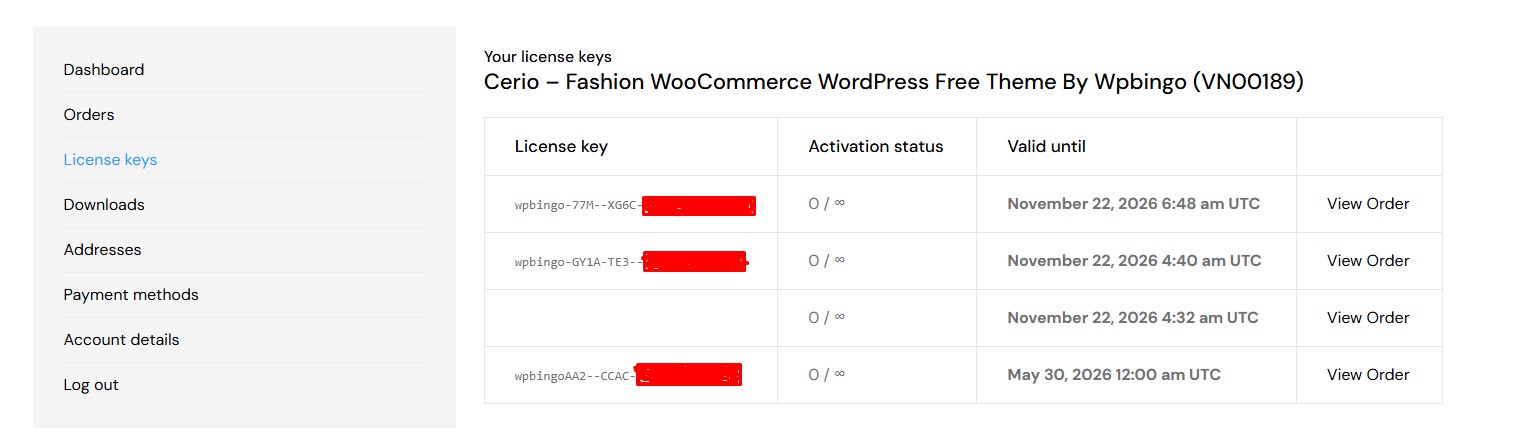
Step 3 — Copy Your License Key
Your License Key looks similar to this:
XXXX-XXXX-XXXX-XXXX-XXXX
Copy the full key before creating a support ticket.
Step 4 — Create a Support Ticket
Once you have your License Key, you can create a support ticket here: Support Center
When submitting your ticket:
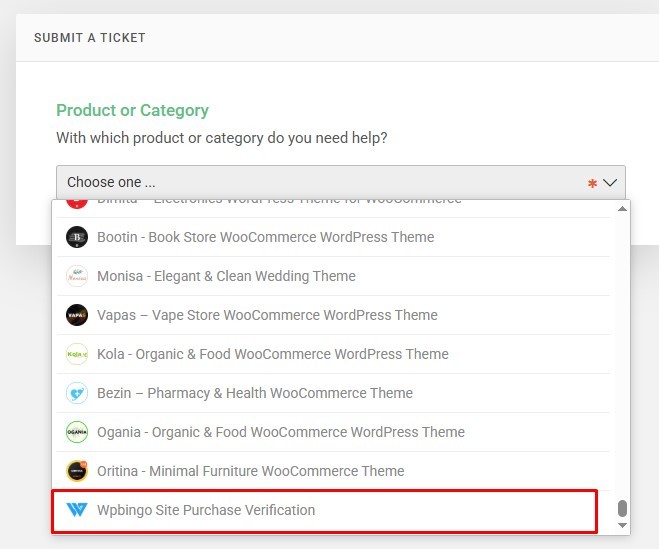
- Select the correct category:
- If you purchased from Envato Market → select the corresponding theme name
- If you purchased directly from Wpbingo site → select “Wpbingo Site Purchase Verification”
- Enter your License Key in the Purchase Code field
Please also include in your ticket description:
- Website URL
- Theme/Plugin version
- A detailed description of the issue
- Screenshots if possible
This helps us provide faster support.
Common Issues
No License Key After Payment
Possible reasons:
- Payment is still pending
- PayPal/e-wallet verification is incomplete
- Order status is not marked as Completed yet
Please wait a few minutes and refresh the order page.
Purchased Multiple Copies But Only One License Key Appears
Some systems generate one license per order item by default.
If you purchased multiple licenses and received fewer keys, please contact support with your order number.
Need Help?
If you still cannot find your License Key, please contact our support team with your order number and purchase email.