
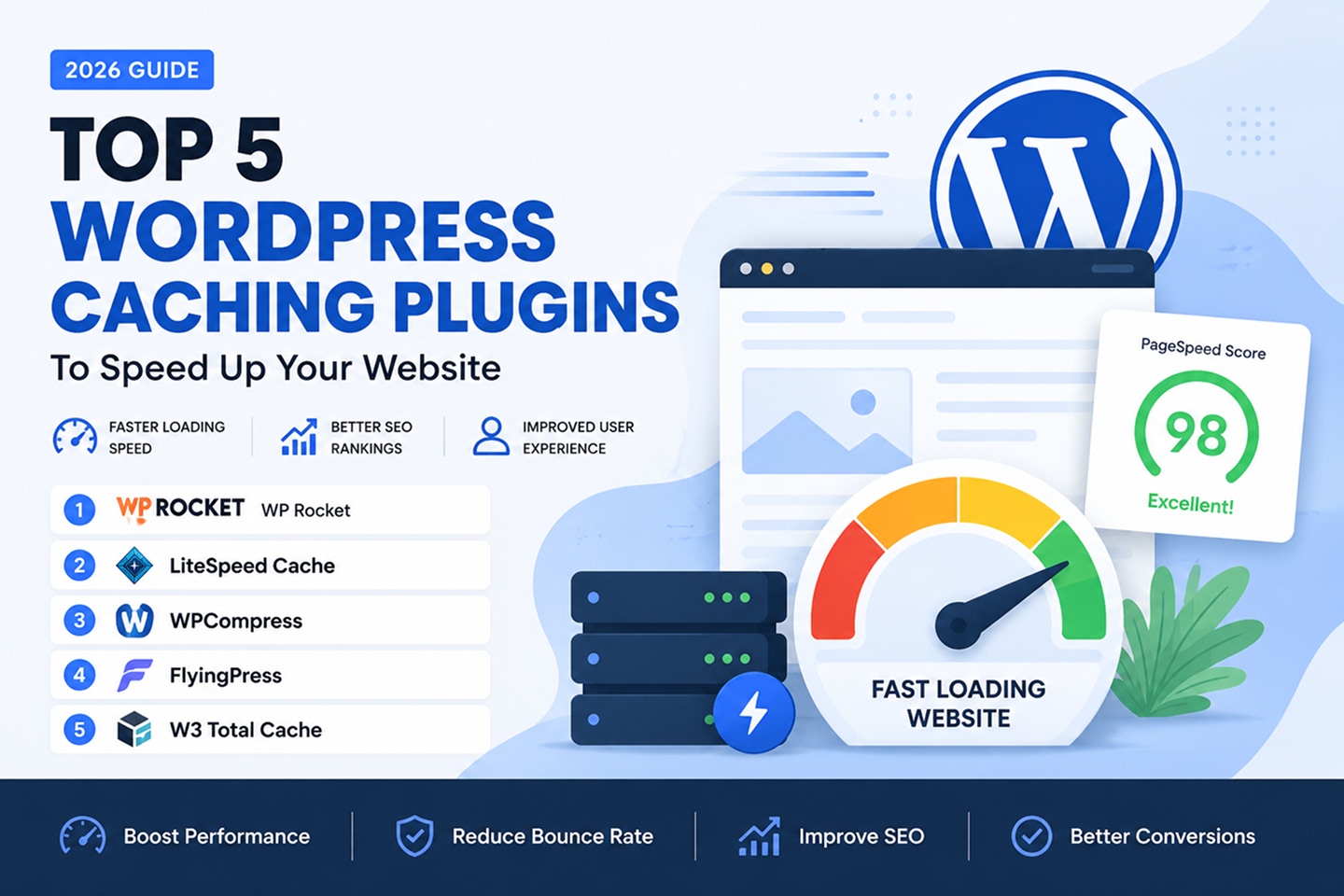
WordPress Caching Plugins: 5 Best Options to Speed Up Your Website in 2026
WordPress Caching Plugins are essential tools for any website owner who wants faster page load times, better Google Core Web Vitals scores, and stronger SEO performance.
Without caching, every visitor request forces WordPress to rebuild your page from scratch — querying the database, loading PHP, and assembling HTML in real time.
That process is slow, resource-heavy, and completely unnecessary for most page views.
The best WordPress Caching Plugins solve this by storing a static version of your pages and delivering them instantly to every visitor.
The result is dramatically faster load times, lower server load, and a much better user experience.
But not all WordPress Caching Plugins work the same way.
Some are beginner-friendly and fully automated. Others offer deep technical control for developers. Some focus on image optimization, CDN delivery, or server-level caching.
In this guide, we compare five of the most effective WordPress Caching Plugins available today: WP Rocket, LiteSpeed Cache, WPCompress, FlyingPress, and W3 Total Cache.
Whether you run a blog, WooCommerce store, business website, or news portal, this comparison will help you find the right plugin for your site’s needs.
Why WordPress Sites Need Caching Plugins
Page speed is no longer just a user experience concern — it directly affects your search engine rankings, bounce rate, and conversion rate.
Google uses Core Web Vitals as a ranking signal, and slow-loading pages consistently rank lower than fast ones, even when content quality is equal.
WordPress Caching Plugins work by generating static HTML files of your dynamic WordPress pages and serving those files directly to visitors, eliminating repeated database queries and PHP processing for every page view.
The performance improvement can be dramatic — pages that took 3 to 5 seconds to load can often be reduced to under one second with the right caching setup.
Beyond page caching, modern WordPress Caching Plugins also handle CSS and JavaScript minification, image lazy loading, database cleanup, browser caching, and CDN integration.
For a deeper understanding of how WordPress works under the hood, the official WordPress documentation is a great starting point.
For WooCommerce store owners focused on performance, the WooCommerce platform also provides performance guidance tailored for online shops.
Top 5 WordPress Caching Plugins in 2026
Below is a detailed breakdown of five leading WordPress Caching Plugins, covering what each one does best, who it is designed for, and what features make it stand out from the rest.
1. WP Rocket – The Most Beginner-Friendly WordPress Caching Plugin
WP Rocket is widely considered the gold standard among premium WordPress Caching Plugins, and for good reason.
Unlike many caching plugins that require complex technical configuration, WP Rocket activates page caching the moment you install it — no manual setup required.
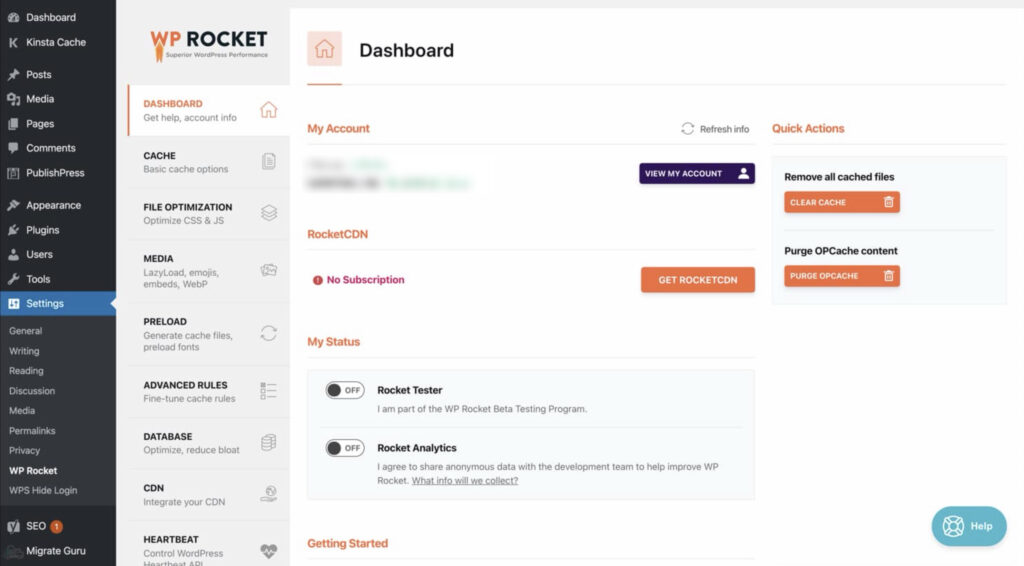
It combines page caching, browser caching, GZIP compression, CSS and JavaScript minification, lazy image loading, and database optimization all in one clean dashboard.
WP Rocket is a premium plugin with no free version, but its ease of use, consistent performance improvements, and dedicated support team make it a top choice for business owners, bloggers, and WooCommerce store operators who want fast results without the learning curve.
The plugin also integrates with all major CDN services and is fully compatible with popular page builders like Elementor, Divi, and Beaver Builder.
If you need one of the most reliable WordPress Caching Plugins that handles everything out of the box, WP Rocket is the most trusted option available.
Why choose WP Rocket as your WordPress Caching Plugin?
WP Rocket is the best choice when you want a powerful, fully automated caching solution that delivers measurable speed improvements immediately after activation, with zero technical configuration needed.
Best for:
Business websites, WooCommerce stores, bloggers, marketing agencies, and any WordPress user who wants premium performance without technical complexity.
Key features:
- Instant page caching enabled on activation — no manual setup needed
- CSS and JavaScript minification and file combination
- Lazy loading for images, videos, and iframes
- Database optimization and scheduled cleanup
- GZIP compression and browser caching
- CDN integration and Cloudflare compatibility
- Preloading and cache warming for instant delivery
- Dedicated WooCommerce cache rules built in
2. LiteSpeed Cache – Free WordPress Caching Plugins with Server-Level Power
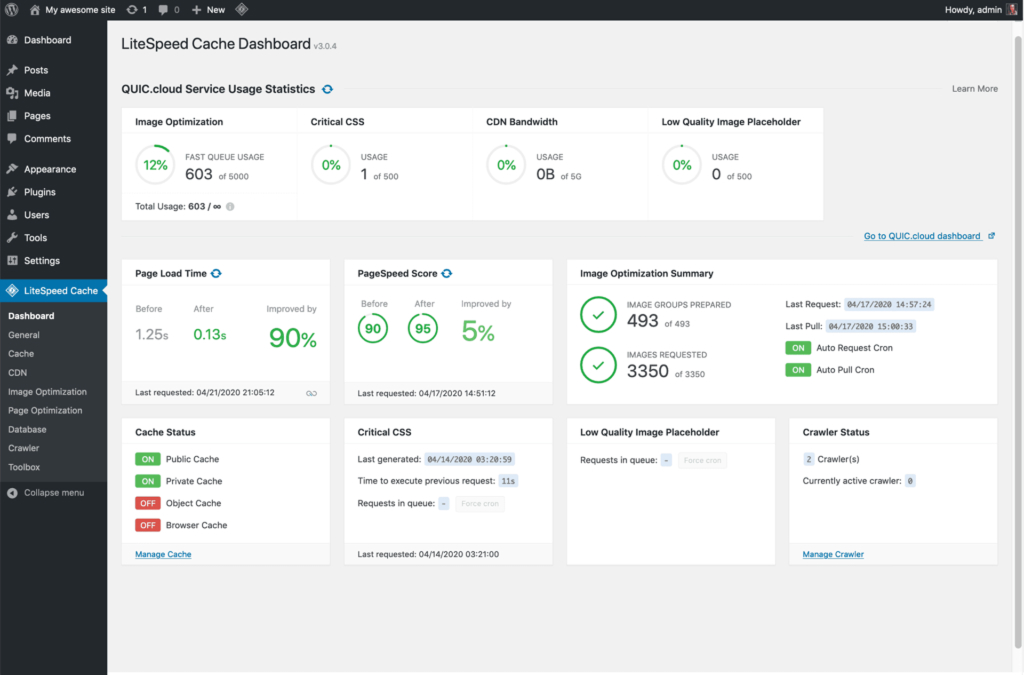
LiteSpeed Cache is a free plugin that stands out among WordPress Caching Plugins by delivering server-level caching performance when paired with a LiteSpeed or OpenLiteSpeed web server.
Unlike software-based caching plugins that work at the PHP level, LiteSpeed Cache operates at the web server layer — meaning pages are cached and served before WordPress even loads, resulting in dramatically faster response times.
Even on non-LiteSpeed servers, the plugin offers a strong set of optimization features including object caching, image optimization, CDN support, CSS and JavaScript minification, critical CSS generation, and a built-in crawler to preload your entire cache automatically.
LiteSpeed Cache is one of the most comprehensive free WordPress Caching Plugins available, making it an exceptional value for users who want enterprise-grade performance without a premium price tag.
Many managed WordPress hosts that run LiteSpeed servers — including popular options like Hostinger and A2 Hosting — recommend this plugin as their primary caching solution.
Why choose LiteSpeed Cache among WordPress Caching Plugins?
LiteSpeed Cache is the strongest free option for users on LiteSpeed or OpenLiteSpeed hosting, offering server-level caching speed and a feature set that rivals expensive premium plugins.
Best for:
Websites hosted on LiteSpeed servers, budget-conscious site owners who want maximum performance without paying for a plugin, and developers who need granular control over caching behavior.
Key features:
- Server-level page caching via LiteSpeed server integration
- Object caching with Redis and Memcached support
- Built-in image optimization and WebP conversion
- Automatic cache crawler and preloading
- CSS and JavaScript minification and combination
- Critical CSS and lazy CSS loading
- ESI (Edge Side Includes) for dynamic content caching
- Free QUIC.cloud CDN integration
3. WPCompress – Cloud-Powered WordPress Caching Plugins with Image CDN
WPCompress takes a different approach among WordPress Caching Plugins by focusing on cloud-based image optimization and content delivery alongside traditional page caching.
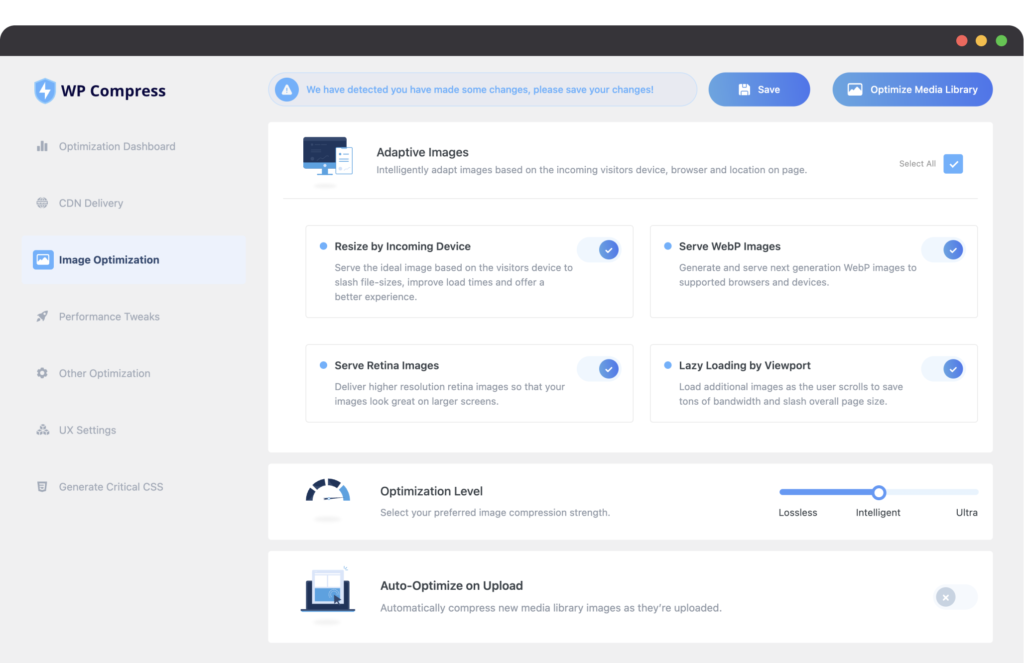
Rather than simply caching HTML, WPCompress automatically compresses and optimizes your images in the cloud, then delivers them through a global CDN — often reducing image file sizes by 50 to 80 percent without visible quality loss.
The plugin supports adaptive image delivery, meaning it detects the visitor’s device and screen size and serves appropriately sized images rather than forcing mobile users to download desktop-resolution photos.
As one of the more specialized WordPress Caching Plugins, WPCompress is particularly valuable for image-heavy websites such as photography portfolios, WooCommerce product stores, food blogs, real estate listings, and any site where visuals are central to the experience.
Its cloud processing model means image optimization happens without using your server’s CPU or memory, keeping your hosting resources free for other tasks.
Why choose WPCompress for WordPress performance?
WPCompress is the best choice for websites where images are the primary cause of slow load times, delivering cloud-based compression and adaptive delivery that most standard WordPress Caching Plugins cannot match on their own.
Best for:
Photography sites, WooCommerce stores with large product catalogs, food blogs, real estate websites, travel sites, and any image-heavy WordPress site.
Key features:
- Cloud-based image compression with no server load
- Adaptive image delivery based on device and screen size
- Global CDN for static assets and media files
- WebP and next-generation image format support
- Lazy loading and image dimension optimization
- Bulk compression of existing media library
- Real-time optimization without manual uploads
- Detailed analytics and compression savings reports
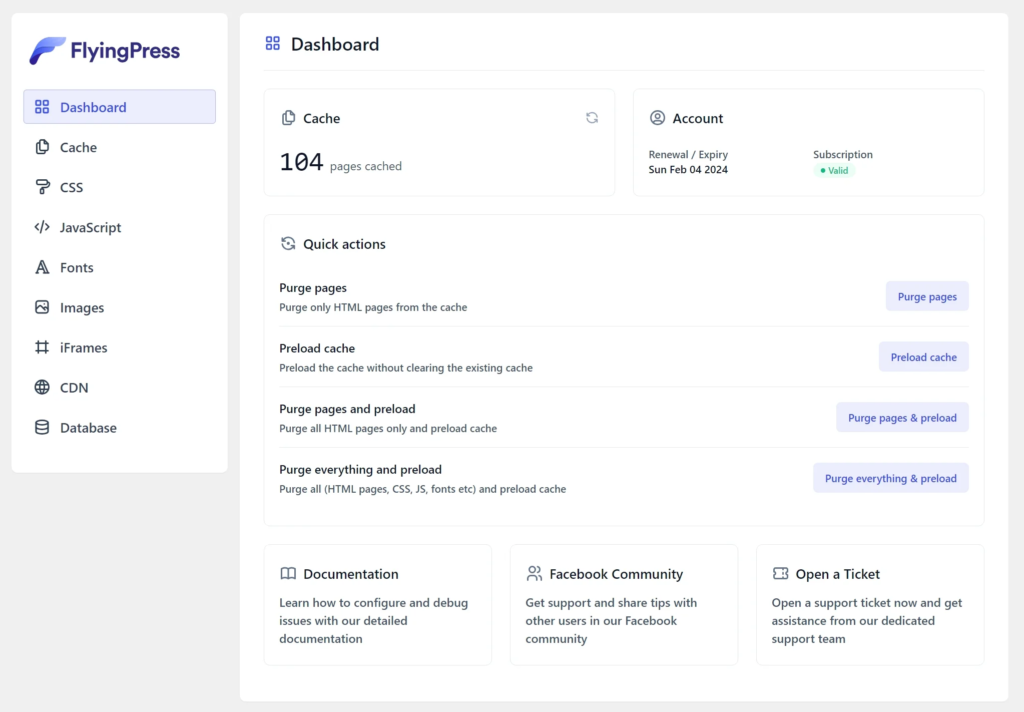
4. FlyingPress – WordPress Caching Plugins Built for Core Web Vitals
FlyingPress is a newer premium entry in the world of WordPress Caching Plugins, designed specifically around Google’s Core Web Vitals metrics — LCP (Largest Contentful Paint), FID (First Input Delay), and CLS (Cumulative Layout Shift).
While most caching plugins were built before Core Web Vitals became a ranking factor, FlyingPress was architected from the ground up with these metrics in mind.
It offers a focused, lightweight feature set that avoids bloat while targeting the exact optimizations that improve PageSpeed Insights scores and real-world user experience.
Standout features include automatic unused CSS removal, local hosting of Google Fonts to eliminate render-blocking requests, JavaScript deferral and delay, preload hints for critical resources, and a clean page cache with smart cache invalidation.
Among WordPress Caching Plugins, FlyingPress is favored by developers and technical users who want granular control over exactly how their site is optimized, without the complexity of older plugins.
Why choose FlyingPress among WordPress Caching Plugins?
FlyingPress is ideal for users who are actively trying to improve their Google PageSpeed scores and Core Web Vitals performance, especially on sites where LCP and render-blocking resources are the primary bottlenecks.
Best for:
SEO-focused website owners, developers optimizing for PageSpeed scores, agencies managing client performance audits, and WordPress sites that score poorly on Core Web Vitals.
Key features:
- Page caching with smart, granular cache exclusion rules
- Unused CSS removal to reduce render-blocking stylesheets
- Google Fonts self-hosting to eliminate external requests
- JavaScript defer and delay for improved interaction readiness
- Preload hints for critical assets and above-the-fold images
- Image lazy loading with native browser support
- CDN rewriting and Cloudflare integration
- Clean, modern dashboard with per-page optimization options
5. W3 Total Cache – Battle-Tested Free WordPress Caching Plugins for Power Users
W3 Total Cache is one of the oldest and most widely used free WordPress Caching Plugins, with over one million active installations and a feature set that covers virtually every aspect of WordPress performance optimization.
It supports page caching, object caching, database query caching, browser caching, opcode caching, CDN integration, minification, and fragment caching — making it one of the most technically complete free caching solutions available.
W3 Total Cache integrates with major CDN providers including Cloudflare, Amazon CloudFront, and StackPath, giving advanced users full control over how static assets are distributed globally.
The plugin has a steeper learning curve than most other WordPress Caching Plugins like WP Rocket or FlyingPress, and its settings panel can feel overwhelming to beginners.
However, for developers, system administrators, and technically experienced WordPress users who want maximum control over every caching layer, W3 Total Cache remains an extremely capable and cost-effective option.
A premium version (W3 Total Cache Pro) unlocks additional features including fragment caching and advanced CDN options for sites that need them.
Why choose W3 Total Cache for WordPress caching?
W3 Total Cache is the right choice when you need a free, deeply configurable solution among WordPress Caching Plugins, with support for multiple caching layers, advanced CDN setups, and full technical control over your WordPress performance stack.
Best for:
Developers, system administrators, agencies on tight budgets, technically experienced WordPress users, and high-traffic sites that need granular control over every caching layer.
Key features:
- Page, object, database, and browser caching in one plugin
- Opcode caching with APC, XCache, and WinCache support
- Minification and combination of CSS and JavaScript files
- CDN integration with Cloudflare, Amazon CloudFront, and more
- Fragment caching for dynamic content sections
- GZIP compression for HTML, CSS, and JavaScript
- Varnish cache support for enterprise hosting setups
- Detailed performance statistics and cache hit rate reporting
What Makes Good WordPress Caching Plugins?
Not all WordPress Caching Plugins are created equal, and the best choice depends on your hosting environment, technical comfort level, and performance goals.
The most important function of any caching plugin is page caching — storing pre-built HTML and delivering it without processing PHP or querying the database for every visitor.
Beyond that, look for WordPress Caching Plugins that also handle browser caching, which instructs visitors’ browsers to store static files locally so repeat visits are even faster.
Minification and file combination reduce the number and size of CSS and JavaScript files that need to load on every page.
CDN integration is important for sites with a global audience, as it ensures assets are delivered from servers physically close to each visitor.
Compatibility with your theme, page builder, and other plugins is also critical.
A caching plugin that breaks your checkout page or causes visual issues will do more harm than good.
Always test your chosen WordPress Caching Plugins in a staging environment before applying settings to your live site.
How to Choose the Best WordPress Caching Plugins for Your Site
Choosing the right WordPress Caching Plugins starts with understanding your website’s specific bottlenecks and your own technical ability.
If you are a non-technical user who wants fast results with minimal setup, WP Rocket is almost always the best investment.
If you are on a LiteSpeed-powered host and want the best possible free option, LiteSpeed Cache is the clear choice.
If your site is image-heavy and your performance issues are primarily caused by large media files, WPCompress targets that problem directly.
If improving your Google PageSpeed score and Core Web Vitals is your primary goal, FlyingPress is built specifically for that purpose.
If you are a developer or technical user who wants complete control over every caching layer at no cost, W3 Total Cache offers unmatched depth for a free plugin.
Consider combining WordPress Caching Plugins with a CDN and image optimization tool for the best overall results, as these three components often work better together than any single plugin alone.
Key Features to Look for in WordPress Caching Plugins
When evaluating WordPress Caching Plugins, these are the features that have the greatest impact on real-world performance.
Page Caching
The foundation of every caching plugin. Page caching stores pre-built HTML copies of your pages and serves them directly, bypassing PHP and database queries entirely. It is the single most impactful feature any of the leading WordPress Caching Plugins can offer.
Browser Caching and GZIP Compression
These two features work together to reduce the amount of data transferred on each visit and ensure returning visitors experience near-instant load times.
CSS and JavaScript Optimization
Minification removes unnecessary whitespace and comments from code files. File combination reduces the total number of requests. Both can significantly improve load time on pages with many scripts and stylesheets.
Image Optimization and Lazy Loading
Images are often the largest contributor to page weight. Lazy loading defers off-screen images until they are needed. Compression reduces file size without visible quality loss.
CDN Integration
A CDN distributes your static files across multiple global servers, reducing geographic latency for international visitors and lowering load on your origin server.
WooCommerce and Plugin Compatibility
Caching can conflict with dynamic features like shopping carts, logged-in user sessions, and form submissions. The best WordPress Caching Plugins have built-in rules to handle these edge cases correctly without any manual configuration.
Top 5 WordPress Caching Plugins Comparison Table
| Plugin | Pricing | Main Strength | Best For |
|---|---|---|---|
| WP Rocket | Premium (paid) | Easiest setup, all-in-one performance | Bloggers, WooCommerce stores, business sites |
| LiteSpeed Cache | Free | Server-level caching on LiteSpeed hosts | LiteSpeed hosting users, budget-conscious sites |
| WPCompress | Freemium | Cloud image optimization and CDN delivery | Image-heavy sites, WooCommerce product stores |
| FlyingPress | Premium (paid) | Core Web Vitals and PageSpeed optimization | SEO-focused sites, agencies, developers |
| W3 Total Cache | Free / Pro | Maximum technical control over all cache layers | Developers, power users, high-traffic sites |
Benefits of Using WordPress Caching Plugins
Installing WordPress Caching Plugins is one of the highest-impact actions you can take to improve your website’s speed and search engine performance.
The benefits go far beyond just faster page loads.
Higher Search Engine Rankings
Google uses page speed as a ranking factor. Faster websites consistently outperform slower ones in search results, especially since Core Web Vitals became part of Google’s ranking algorithm. WordPress Caching Plugins are one of the quickest ways to improve these scores.
Lower Bounce Rates
Research consistently shows that visitors abandon pages that take more than 3 seconds to load. Caching often reduces load times to under one second, keeping visitors on your site longer and reducing lost traffic.
Reduced Server Load and Hosting Costs
Serving cached static files uses a fraction of the server resources required to build pages dynamically. This can allow your site to handle significantly more traffic on the same hosting plan — a key advantage of well-configured WordPress Caching Plugins.
Better User Experience on Mobile
Mobile networks are often slower than desktop connections. Caching, combined with image optimization and lazy loading, makes a significant difference in mobile performance metrics and overall user satisfaction.
Improved Conversion Rates
Faster websites convert better. Whether your goal is newsletter signups, WooCommerce purchases, or lead form submissions, site speed has a measurable impact on how many visitors complete the desired action.
Which WordPress Caching Plugins Should You Choose?
For most WordPress users who want the easiest, most reliable solution, WP Rocket is worth the investment as a premium choice among WordPress Caching Plugins.
For users on LiteSpeed hosting who want maximum performance for free, LiteSpeed Cache is the clear winner.
For sites where large images are the primary performance problem, WPCompress solves that specific issue better than any general caching plugin.
For developers and SEO professionals focused on improving Google PageSpeed scores and Core Web Vitals, FlyingPress provides the right tools.
For technical users and developers who want complete control at no cost, W3 Total Cache remains one of the most powerful free WordPress Caching Plugins available.
You can also read more useful performance guides in our blog or browse our WordPress themes to find themes already optimized for speed and WooCommerce performance.
FAQs About WordPress Caching Plugins
What are WordPress Caching Plugins?
WordPress Caching Plugins store pre-built versions of your web pages and deliver them to visitors without requiring WordPress to process PHP or query the database each time, resulting in dramatically faster load times and lower server resource usage.
Do I need WordPress Caching Plugins if my host already provides caching?
Hosting-level caching handles basic page delivery, but dedicated WordPress Caching Plugins add additional layers like browser caching, CSS and JavaScript optimization, image lazy loading, and CDN integration that server-level caching alone does not provide.
Is WP Rocket worth buying over free WordPress Caching Plugins?
For most non-technical users, WP Rocket’s ease of setup and consistent performance results make it worth the annual cost. For users on LiteSpeed hosting, however, LiteSpeed Cache provides comparable results for free.
Can I use multiple WordPress Caching Plugins at the same time?
No. Running two page caching plugins simultaneously causes conflicts and can break your site. Choose one primary plugin from the available WordPress Caching Plugins and disable or remove any others.
Will WordPress Caching Plugins break my WooCommerce store?
Good WordPress Caching Plugins include built-in WooCommerce compatibility rules that automatically exclude cart pages, checkout pages, and logged-in user sessions from caching. Always test after enabling caching on a WooCommerce store.
Which of these WordPress Caching Plugins is best for PageSpeed scores?
FlyingPress is specifically designed around Core Web Vitals and PageSpeed optimization. WP Rocket and LiteSpeed Cache also deliver strong PageSpeed improvements through their CSS and JavaScript optimization features.
Does LiteSpeed Cache work on all hosting providers?
LiteSpeed Cache works on any hosting but delivers its best performance on servers running LiteSpeed or OpenLiteSpeed web server software. On Apache or Nginx servers, it still provides useful optimization features but without server-level caching.
How do I test if my WordPress Caching Plugins are working?
Use Google PageSpeed Insights, GTmetrix, or Pingdom Tools to measure your page load time before and after enabling caching. You can also check your page’s HTTP response headers for cache-related fields to confirm that WordPress Caching Plugins are actively serving cached pages.
Before choosing one of these WordPress Caching Plugins, consider your hosting environment, technical skill level, site type, and specific performance goals. The right choice for a WooCommerce store on shared hosting is often different from the right choice for a high-traffic blog on a VPS.
Final Thoughts on WordPress Caching Plugins
Choosing the right WordPress Caching Plugins is one of the most impactful decisions you can make for your website’s speed, SEO performance, and user experience.
WP Rocket delivers the best all-in-one experience for users who want fast results without technical complexity.
LiteSpeed Cache is the strongest free option available, especially powerful on LiteSpeed-hosted environments.
WPCompress excels at solving image performance problems through cloud-based compression and adaptive CDN delivery.
FlyingPress targets Google Core Web Vitals directly, making it the go-to choice among WordPress Caching Plugins for SEO professionals and agencies focused on PageSpeed scores.
W3 Total Cache remains a trusted option for developers who need granular control over every caching layer at no cost.
The best WordPress Caching Plugins are ultimately the ones that fit your specific setup and goals. Start with a free tool like GTmetrix or PageSpeed Insights to identify your site’s current bottlenecks, then choose the plugin that addresses them most effectively.